
สรุป สร้าง Role เช่น Accounting, Sales, Production แล้วกำหนดสิทธิ์เข้าถึงหน้าจอในแต่ละหมวด ได้แก่ Transactions, Reports, Lists, Setup และ Custom Record |
ใช้เมื่อไหร่
- ต้องการแยกสิทธิ์การใช้งานตามแผนกหรือหน้าที่
- ต้องการจำกัดการเข้าถึงหน้าจอตั้งค่าหรือข้อมูลบางประเภท
ขั้นตอน
เมนู Setup › Users/Roles › Manage Roles |
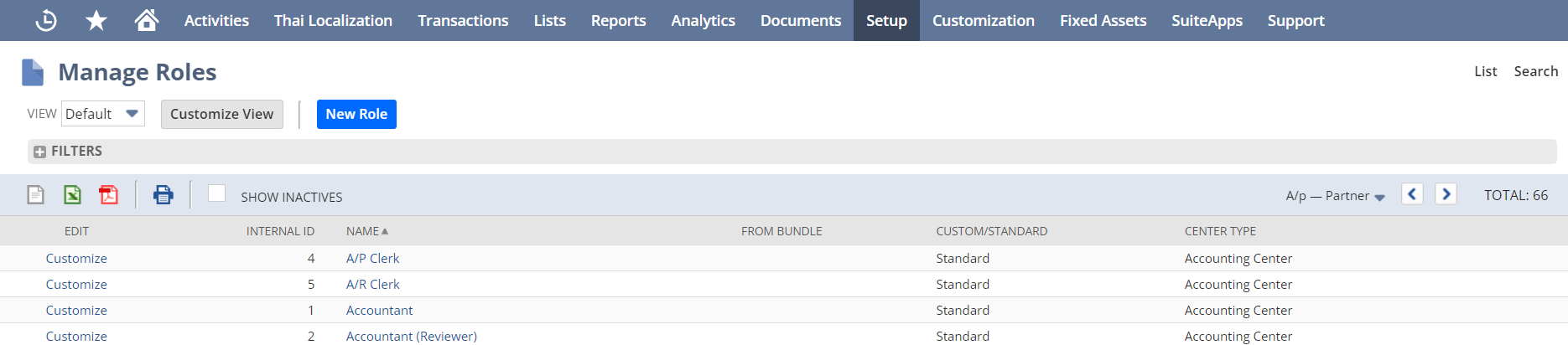
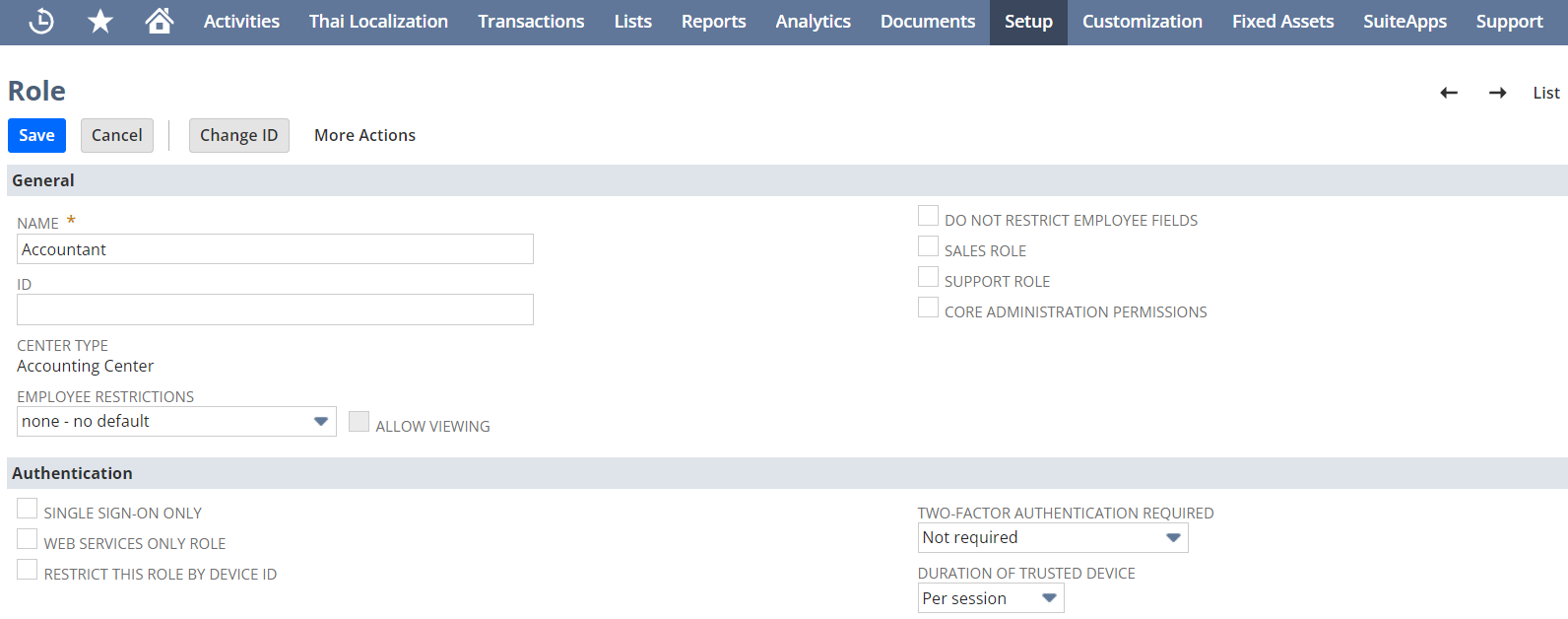
| No. | ฟิลด์ | ความหมาย | บังคับกรอก |
| 1 | Name | ชื่อ Role เช่น Accounting, Sales, Production | ใช่ |
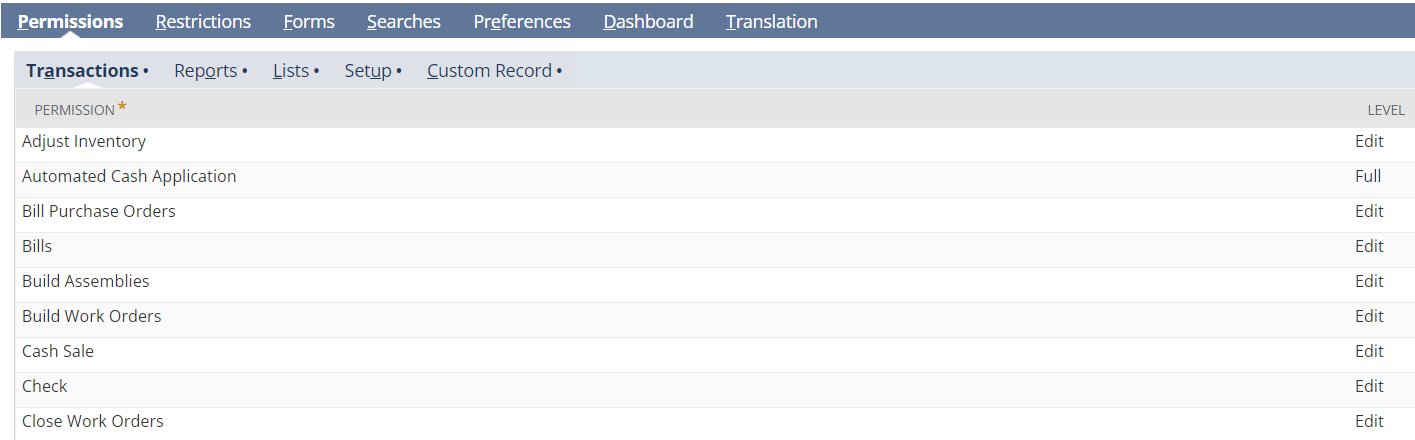
| No. | หมวด | ความหมาย | บังคับกรอก |
| 2 | Transactions | สิทธิ์เข้าถึงแต่ละหน้า Transaction | ใช่ |
| 3 | Reports | สิทธิ์เข้าถึงแต่ละหน้า Report | ใช่ |
| 4 | Lists | สิทธิ์เข้าถึงแต่ละหน้า Lists เช่น Customer, Vendor, Item, Employee | ใช่ |
| 5 | Setup | สิทธิ์เข้าถึงแต่ละหน้า Setup เช่น Company setup, Accounting setup, Tax setup | ใช่ |
| 6 | Custom Record | สิทธิ์เข้าถึงแต่ละหน้า Custom Record (รวมถึงฟิลด์และหน้า Transaction ที่ผู้ใช้ Customize ขึ้นมา) | ใช่ |
อ่านต่อ กำหนดสิทธิ์ผู้ใช้งาน (User Role and Permission)